 Inbox


Try one here · drag the slidersDrawn on this page
How does compound interest grow my savings?
$1,967
$1,000 at 7% for 10 years grows to $1,967. That’s $267 more than simple interest, because each year’s interest earns interest too.
Springle for Windows. Early access, and dictation free forever.
Springle hangs at the top of your PC’s screen. Ask in plain words, and it shows you where to click, does it while you watch, types what you say, or teaches you how anything works.
or hold CtrlAlt to wake it
Free · Windows 10 and 11 · Only listens when you call
On a Mac? Springle for Mac is out now.
Four short films · filmed on the Mac app
Drawn in your browser, with scripted words. The real Springle listens only while you hold the keys.
Hold and say what you need. Springle sees what’s on your screen, then shows you where to click or does it for you types what you say draws you a lesson when you want to learn, and calls out the fakes before you fall for them. Then it rests, until you call.
02Learn it
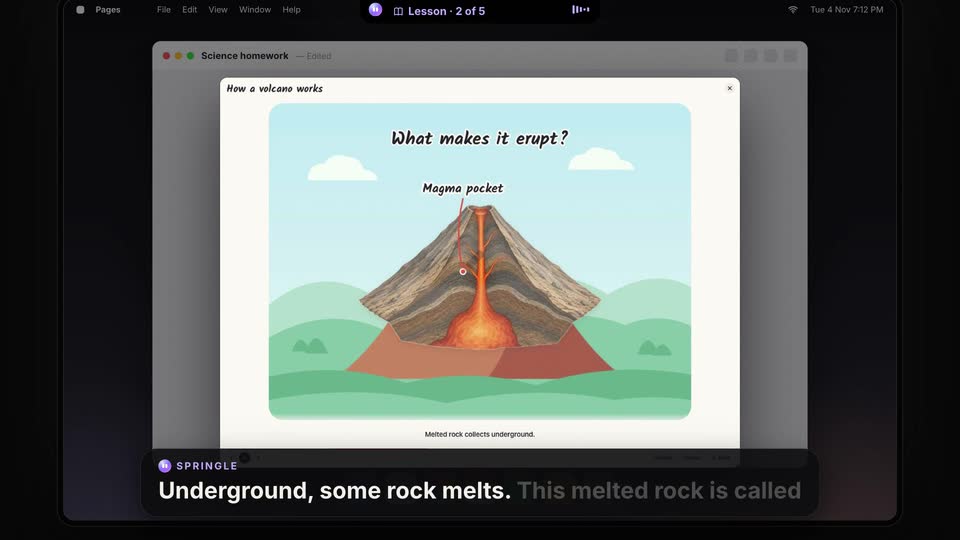
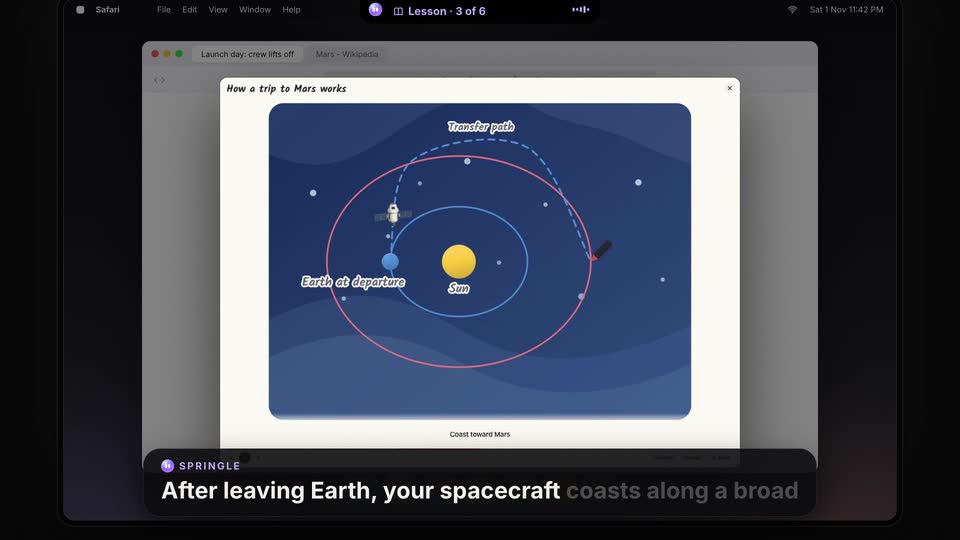
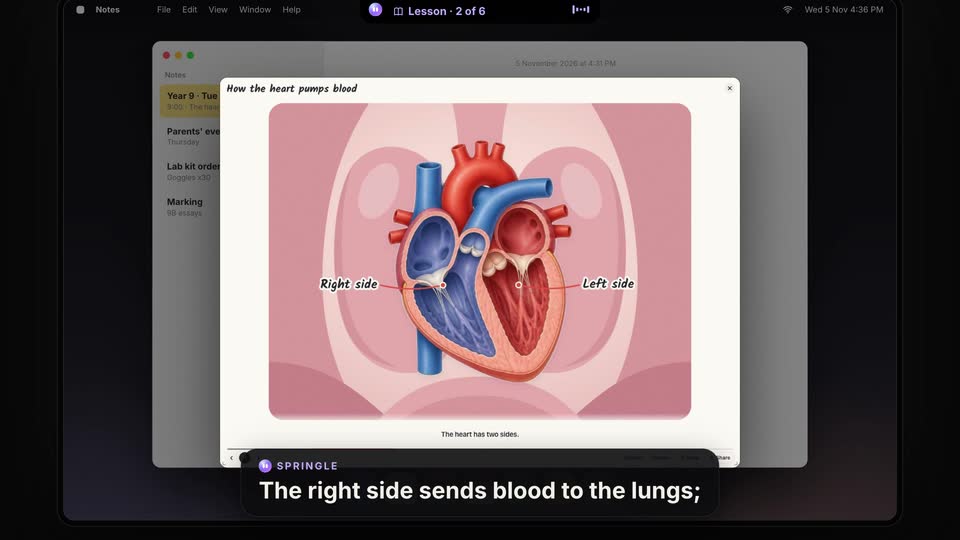
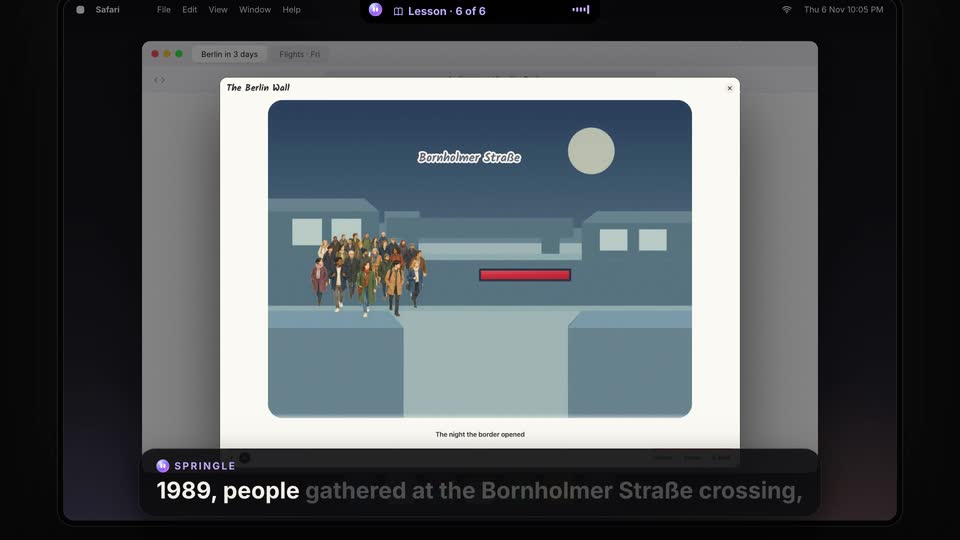
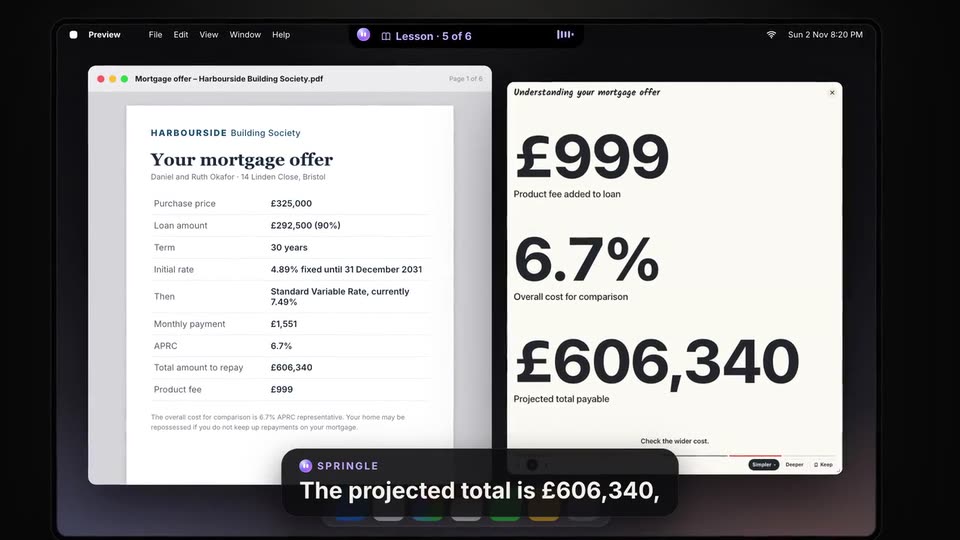
Ask about the page you’re reading, or about anything at all. Springle draws you a lesson right beside it on your PC and talks you through it, one step at a time, marking the page’s own words as it goes. Turn it round, drag the sliders, make it simpler or deeper, then quiz yourself.
Six short films, each one real Springle from the ask to the end, filmed on the Mac app. Springle for Windows draws its lessons on the same board. Press one to watch it with sound.
One tap redraws it in place: fewer parts, or more detail, the same picture.
3D models you can spin, sliders that change the numbers in the words.
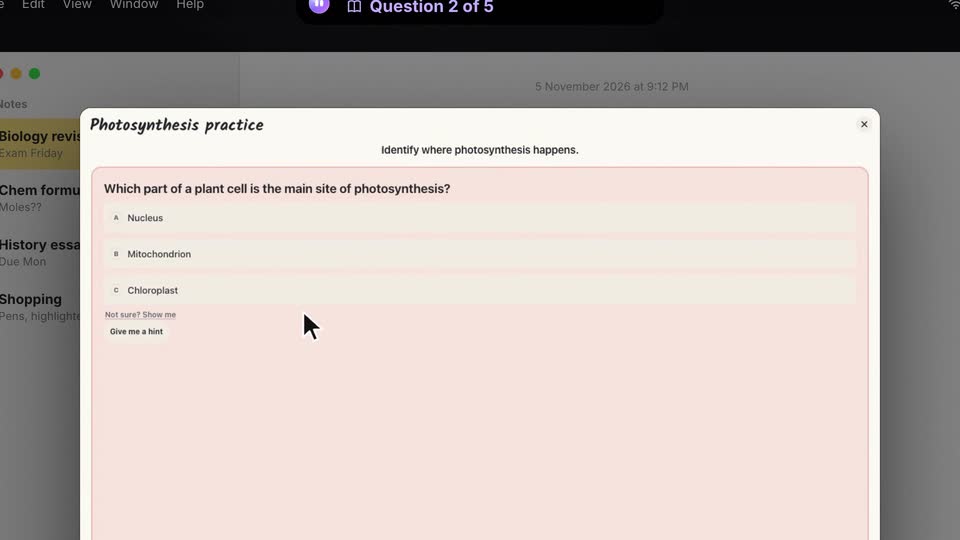
A few questions at the end, scored. Practise later starts with what you missed.
Keep a lesson to read or play again, save it as a PDF handout or a video, or share a link that plays for anyone.
$1,967
$1,000 at 7% for 10 years grows to $1,967. That’s $267 more than simple interest, because each year’s interest earns interest too.
On any page
“How does this work?”
Ask on a page you’re reading, and the lesson opens beside it, marking the words on the page as it talks.
03Do it
Say it the way you’d say it to a friend. Springle lights up each click with a soft glow, and underlines or circles what to read, so you learn it yourself. Or it does it in front of you, in the apps you already use.
Andmade for Windows
Installers and old programs that hide their buttons are read on your PC, so it can still point at Next.
Ctrl Alt C, circle the text in a photo, a video or a PDF. Offline, and never counted.
It fills cells by typing them, the way you would, so Ctrl Z still takes them back.
It edits with Track Changes on, so you accept or reject each one. And it turns notes into a PowerPoint slide.
Space, battery, startup apps, Wi-Fi, a stuck printer, a keyboard gone odd. After your yes it fixes them too, with undo where there is one.
Snooze or Done right from Windows’ own notification, on time even when Springle is closed.
Say “call the dentist” or “text Sam I’m running late”. It asks first, then your phone does it through Phone Link.
With the Springle extension for Chrome or Edge, it reads, clicks and types inside your tabs, and finds or tidies them.
Alsothe little things
04Type it
Click into any text box, hold Ctrl Win and talk. Let go, and it’s typed: punctuated, tidied, the ums left out.
Free. Unlimited. On every plan.
You said
“no worries um we’ll grab a table, I’ll order you the uh the pad thai”
Typed in WhatsApp
No worries, we’ll grab a table. I’ll order you the pad thai.
Press a finish to see what each one does to the same words.
CtrlAltAsk SpringleCtrlWinType what you sayChange either in Settings › Shortcuts
05Privacy
Springle rests at the top of your screen, hearing nothing and seeing nothing, until you ask. Its colour always tells you which it is.
What Springle remembers is saved on your PC, not on our servers. Read it, change it or delete it whenever you like.
Stays on your PC
Leaves only to answer you
Used for that answer, then not kept by us. Never used to train AI.
06Safe
Fake virus warnings, “call support” pages and phishing emails, named plainly. Ask any time. Turn on scam watch, and it keeps an eye out even while it rests.
Sending, submitting or agreeing waits for your yes. Paying, passwords, installing, remote access and deleting it never presses: it points, and you decide.
When Windows dims the screen to ask, Springle knows what you just started and says so out loud. Installing is always your call.
What Springle keeps lives in one notebook on your PC, which drops down from the top of your screen. Ctrl Alt N opens it. Read it, change it, delete it.
07Get it
Springle for Windows is in early access. We’re testing it on real PCs now, so things may change before the first public release. Leave your email and we’ll write once, when it’s ready to download.
Springle for Windows is new, so this is an early version. If something doesn’t work, tell us from the tray icon, and we’ll fix it.
Springle for Windows
See every plan · prices in US dollars
Open Springle Setup from your Downloads. There’s one for Intel and AMD PCs and one for Arm PCs. Springle starts by itself, and its face appears by the clock.
Early versions aren’t signed yet, so SmartScreen doesn’t know them. Click More info, check it says Springle, then Run anyway.
Continue with Google, and Springle walks you through the rest. Then hold Ctrl Alt and ask “how do I change my desktop background?”
?Questions
Windows 10 (version 2004 or later) and Windows 11, on a 64-bit PC with an Intel or AMD chip, or an Arm chip like Snapdragon, which gets its own version. It hangs from the top middle of your screen, and its icon sits by the clock.
Springle for Windows is in early access. Everything on this page is built, and we’re testing it on real PCs before the first public release, so some of it may change. and we’ll email you once, when it’s ready.If something doesn’t work, tell us from the tray icon or Settings › About.
That’s Microsoft Defender SmartScreen. It warns about apps it hasn’t seen from many people yet, and early versions of Springle aren’t signed yet. Click More info, check the app is Springle, and choose Run anyway. Signed releases come before the public launch.
No. It installs just for your Windows account, into your own app folder, and updates itself while you’re away from the PC, never in the middle of something.
Click, type, press keys and shortcuts, scroll, open apps and websites, fill in forms, move and arrange windows, work in Excel, Word and PowerPoint, and fix common PC problems like a full drive or a stuck printer. Sending, submitting or agreeing to anything waits for your yes. Paying, passwords, installing, remote access and deleting it will only point at.
Yes. Ask how something works, about the page you’re on or anything at all, and Springle draws a lesson beside it and talks you through it step by step, with Simpler, Deeper and a quiz at the end. Keep the ones you like to play again, practise later or save as a handout. Lessons are on for everyone, and Springle for Windows also has hands-on lessons for finding your way round Windows 11.
No. Tap Ctrl + Alt and type instead. A typed conversation never uses the microphone, and you can switch between talking and typing whenever you like.
Yes. Click into any text box, hold Ctrl + Win and talk. When you let go, your words are typed there, punctuated and tidied up, in any app: Outlook, WhatsApp, Teams, Word, your browser or an AI chat. It never sends anything for you. If no box has your cursor, the words are copied so you can paste them.
Springle checks each step worked before moving on, and stops if something keeps failing. Start typing yourself, or say stop, and it stops and asks whether to carry on.
No. It listens only while you hold Ctrl + Alt (or the talk button you chose), or the dictation keys, Ctrl + Win. It looks at your screen only while it’s helping. Scam watch, if you turn it on, reads window names and titles only, and keeps them on your PC.
Most Windows apps, through Windows’ own accessibility layer, and windows that hide their buttons through Windows’ text recognition. Excel, Word, PowerPoint, Outlook, File Explorer, Teams, Zoom, Spotify and more have direct actions. In Chrome and Edge, the Springle extension lets it work inside your tabs.
On your PC. Your notebook, reminders and settings are saved on your PC, in your own user folder, with your sign-in encrypted by Windows, not on our servers. You can delete them any time. To answer you, what you say or type and what’s on your screen go to the AI. That’s used for the answer, not kept by us, and never used to train AI. Every detail is in our privacy policy.
Yes. Anyone can set Springle up for themselves or for someone else, like a parent, a friend or a team. On Springle Family, you can be the person their scam watch tells.
No, Springle works on its own. Springbase is a separate AI workspace from the same team, for bigger jobs like decks, documents and research. Once the two are linked, you can hand those jobs over from the island and Springle tells you when they’re done. Handed-off work uses your Springbase credits, and Springbase has a free plan.
Springle is free to download and use, every month, and dictation is unlimited and free for everyone. Paid plans add more asks, more credits for talking and pages read aloud, and family sharing: see pricing.
StartEarly access for Windows
Springle for WindowsEarly access. We’ll email you once, when it’s ready.
Download