A short answer first. More when you want it.
Springle answers in a sentence or two. Go deeper writes a fuller answer in the card, and Keep puts it in your notebook. Nothing is kept unless you press Keep.
When you ask Springle what something is, why something happens or whether you should do something, it answers you itself, straight away, in a sentence or two. Often that’s all you need.
When you want more, one click under the answer has Springle think it through and write a fuller answer in the card. If that answer is worth reading again, Keep in notebook saves it. Until you press it, nothing goes in your notebook.
Go deeper
Under an answer to a question, the card shows one quiet row: Go deeper, with "A fuller answer, written here" beside it.
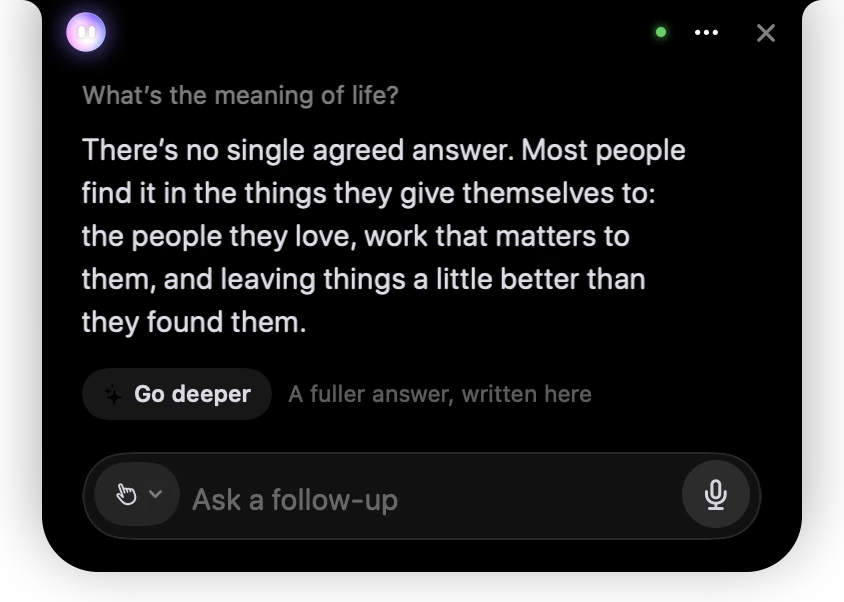
- 1Your question, as you typed or said it.
- 2Springle’s own short answer, written straight away.
- 3Go deeper. Press it for a fuller answer. Nothing is written until you do.
You can also ask in your own words while you talk or type:
Tell me more
Go deeper on that
Can you explain that properly?
The row shows when all of these are true:
- You asked a question. It ends in a question mark, or starts the way questions do ("what", "why", "how", "should I", "explain").
- Springle answered it, rather than asking you something back, and the answer wasn’t a tiny fact like the time.
- Springle only looked, read or looked something up. It didn’t do anything on your Mac in between.
It doesn’t show during a task, while a receipt is showing, or while Springle is waiting for your yes.
While it writes
The status line says Going deeper, and the words appear under the short answer as they arrive. The card grows to a comfortable reading size by itself. Stop works as usual.
If you were talking rather than typing, the card opens for it. The fuller answer is written, not read out.
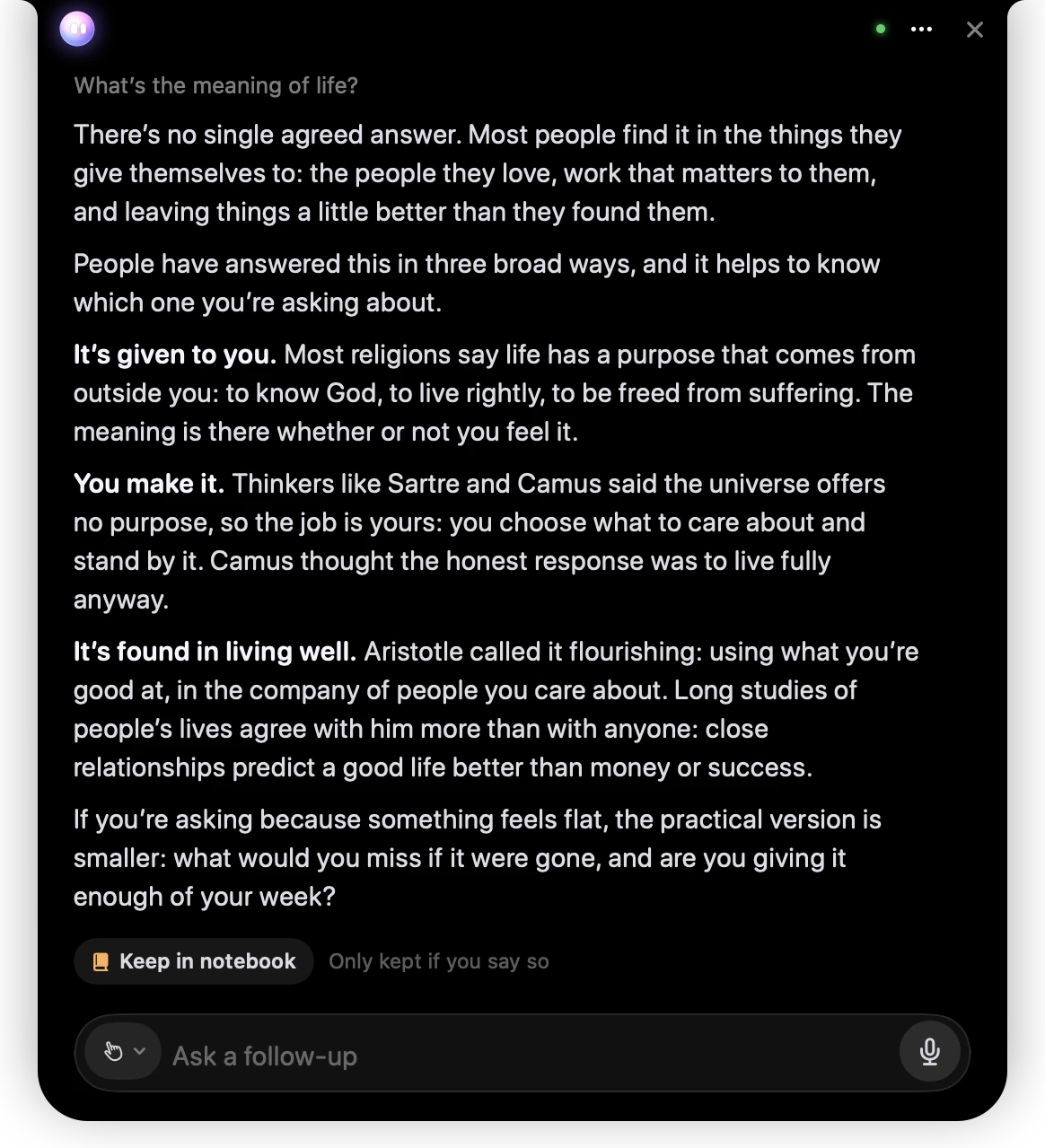
- 1Springle’s short answer stays at the top.
- 2The fuller answer, written underneath it in the card.
- 3Keep in notebook. "Only kept if you say so" means exactly that.
Springle knows what the card showed you, so you can carry on with a follow-up question ("so which one should I pick?") and it will make sense.
What is sent to write it
Only your question, Springle’s own short answer, a short description of anything on screen that matters (with names and numbers taken out) and the facts you chose to keep about yourself. Never the screen itself. Settings › Notebook says the same under Explanations.
Keep it in your notebook
Press Keep in notebook under the finished answer. The row changes to Kept in your notebook, with Open to see it there.
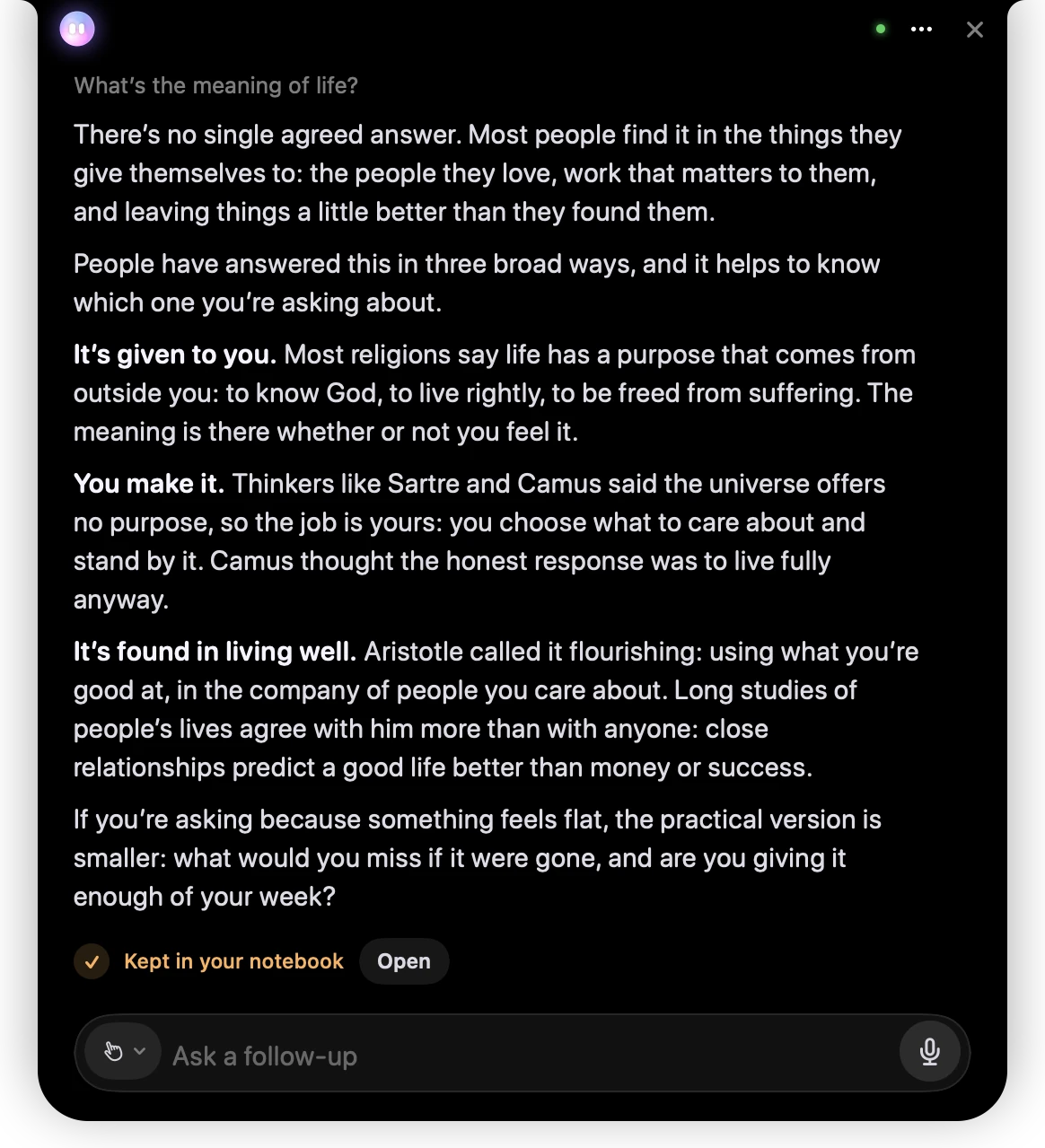
- 1Kept in your notebook shows only once the note is really saved.
- 2Open takes you to it in the notebook.
It’s kept as an explanation, with Springle’s short answer at the top and the fuller answer below it. In the notebook you can ask a follow-up under it, have it written again Simpler or for an Expert, or set a reminder from it. See The notebook.
Didn’t keep it? If you type or say something else, the Go deeper row goes away. An answer still being written finishes in the card, but once you’ve moved on it can’t be kept, and it’s gone when the conversation ends.
Keeping other things
Keep works for more than answers. While you talk or type:
Keep that order number
Save this address
Write that down for me
Springle keeps the exact words, the name of the thing and the page it came from, so the note still makes sense next month. It also keeps your own words, a link that opens the page at the words you kept, and a picture when that helps. See Pictures, links and files. The card shows Kept in your notebook, and tapping that opens the note.
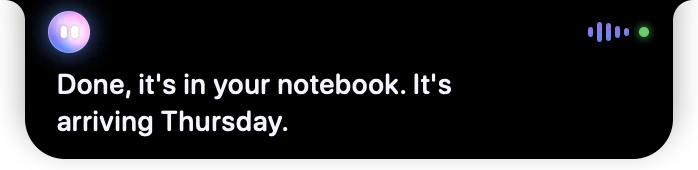
- 1Springle says it’s done, and where it went.
After a task of three or more steps, the receipt has a quiet Save button that keeps the steps as a how-to. Passwords, card numbers, PINs and one-time codes are never kept, whoever asks.
On the Free plan
The Free plan includes three fuller answers a month. The row tells you how many are left.
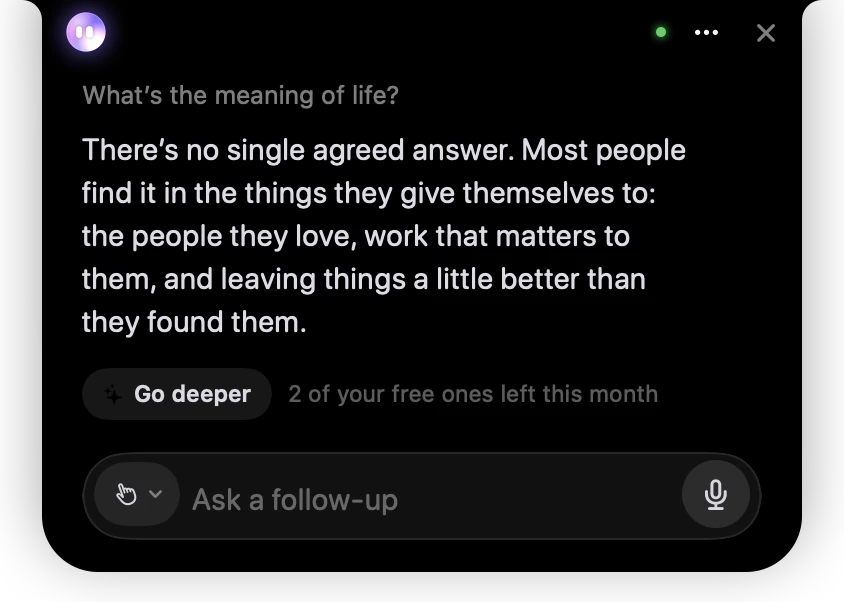
- 1Go deeper works the same way on the Free plan.
- 2How many fuller answers you have left this month.
- A fuller answer counts when you press Go deeper, not when you keep it.
- Try again after something went wrong doesn’t count a second time.
- Explanations written in the notebook itself (the notebook’s Ask, a follow-up, Simpler or Expert) come from the same allowance.
- With none left, the row says "None of your free ones left this month". Pressing it shows "Unlimited deeper answers with Springle" and See plans.
Springle’s short answers aren’t affected. It keeps answering you itself. See Plans.
When it doesn’t work
| What you see | What it means |
|---|---|
| Try again · "Couldn’t write more just now" | The writing service was busy or the connection dropped. Press Try again. |
| Try again · "That has something private in it" | Your question or the answer looked like it held a password, card number or code, so it wasn’t sent. |
| Try again · "Not set up on this Mac yet" | Fuller answers aren’t available on this Mac. Settings › Notebook says so under Explanations. |
| Keep in notebook stays after you press it | The note couldn’t be saved (a full disk, for example). Press it again. The notebook says what went wrong at the top. |
If a problem keeps coming back, write to support@innoventuresai.com and say what you asked.
Did this help?