Springbase. Bigger work, done in the cloud.
Link Springbase to hand Springle the bigger jobs, like decks, deep research and questions about your meetings. Springle tells you when they’re ready.
Springbase is an AI workspace in the cloud, from the makers of Springle. Once it’s linked, you can ask Springle for work that takes longer than a quick answer. Springbase does it in the background, and Springle tells you when it’s ready, even if you’ve walked away.
Turn this page into a deck
Research the top five competitors and write it up
What did we decide about pricing last week?
What it’s for
Springle still does what belongs on your Mac. Springbase takes the bigger jobs:
- Decks and documents. "Turn this report into a six-slide deck for the board."
- Deep research. "Research EV chargers and write it up."
- Your meetings. "What did Priya say about pricing last week?" or "Prep me for my 3 o’clock."
- Your projects. "Save this to my Acme project."
- Your recipes. "Run my Monday report."
Springbase is a separate product with its own plans and credits, and it has a free plan. Linking it is optional, and your Springle plan doesn’t include it. Anything Springle sends to Springbase uses your Springbase credits, never your Springle asks or talk time.
Link Springbase
You need to be signed in to Springle first, and to have a Springbase account.
- Open Settings › Connected apps. Springbase is the first card on the page.
- Click Connect Springbase. Your browser opens Springbase, where you may need to sign in.
- The card in Settings shows a code in amber. Check that the code in your browser matches it, then press Connect in the browser.
- The card changes to Linked.
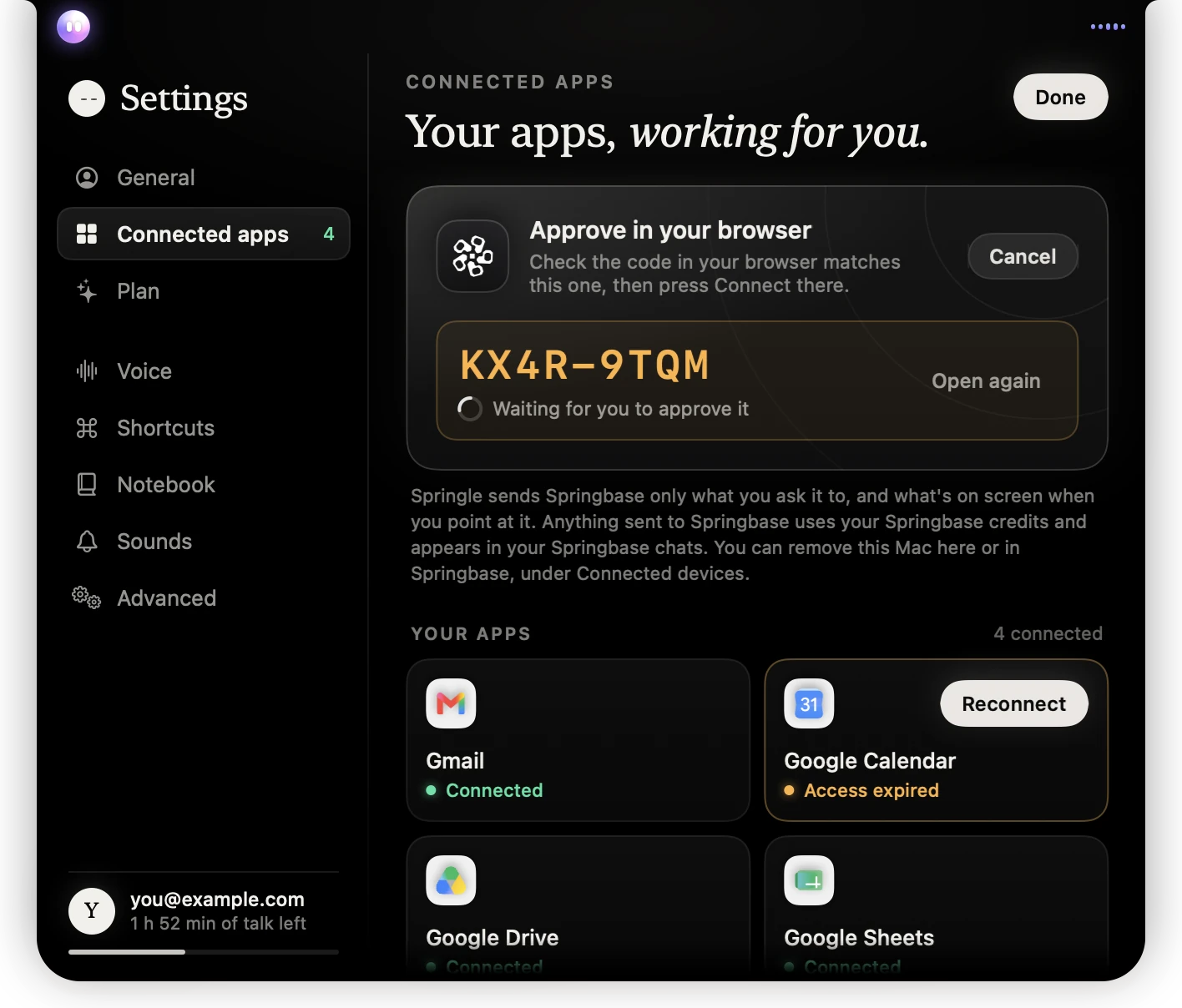
- 1Approve in your browser: the card waits for you.
- 2The code. Check the one in your browser matches before you press Connect there.
- 3Open again reopens the page if you closed it.
- 4Cancel stops linking.
Springle and Springbase stay two separate accounts. You don’t sign in to Springle with Springbase; you link them with this code. If the code runs out before you approve it, Springle says so: click Connect Springbase again for a new one.
Once it’s linked
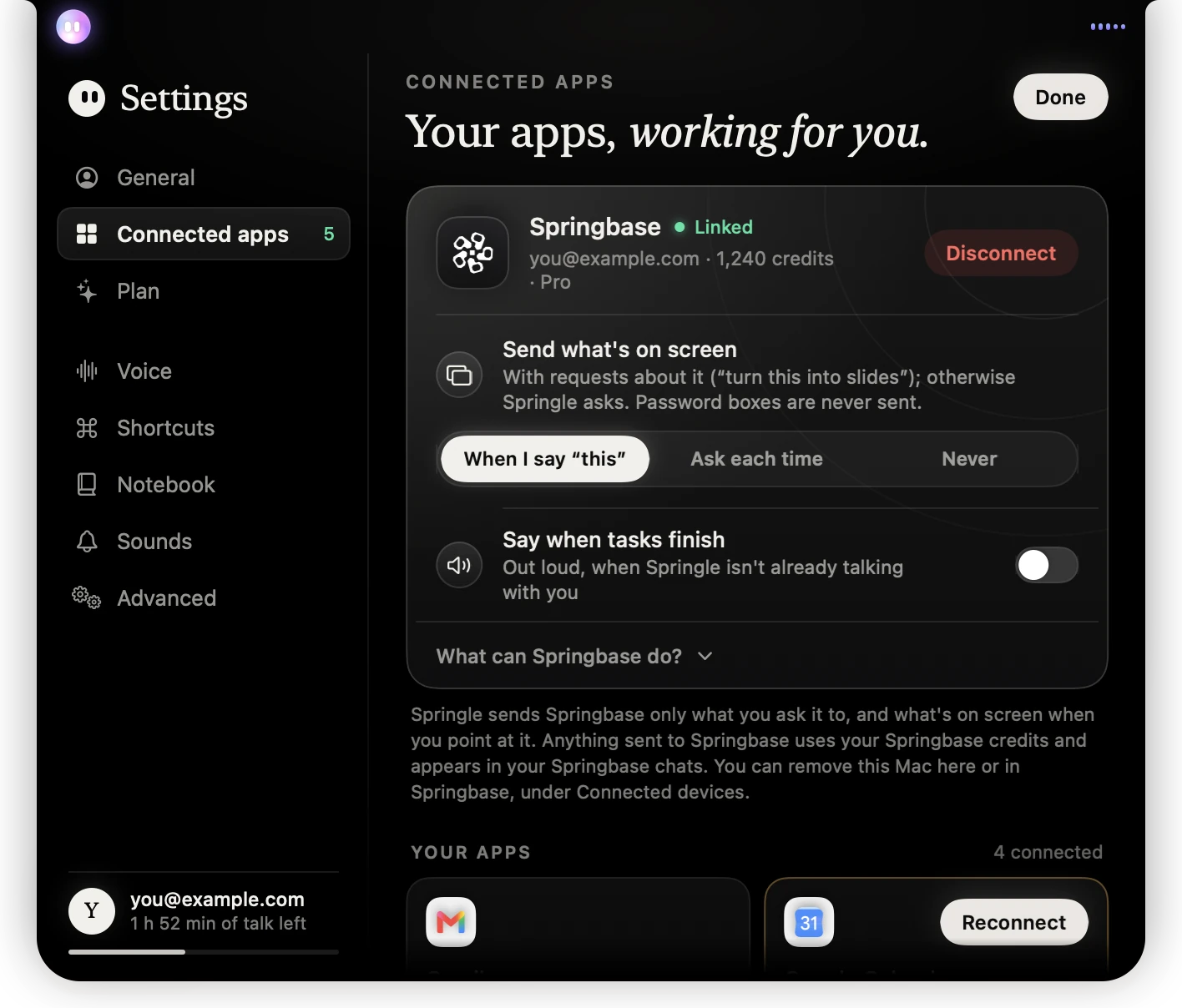
- 1Linked, with your Springbase email, credits left and Springbase plan.
- 2Disconnect unlinks this Mac.
- 3Send what’s on screen: when Springle includes the page or window you’re looking at.
- 4Say when tasks finish: off unless you turn it on.
- 5What can Springbase do? lists the jobs, with words to try.
Send what’s on screen has three choices:
| Choice | What happens |
|---|---|
| When I say "this" | The page or window goes along when your request points at it ("turn this into slides"). Otherwise Springle asks first. This is the default. |
| Ask each time | Springle asks before sending the page or window, every time. |
| Never | Requests go with your words only. |
Password boxes are never sent, whichever you choose.
Say when tasks finish has Springle say out loud when a Springbase task finishes or needs you, if it isn’t already talking with you. The island shows it either way.
Asking for something
Ask out loud or by typing, the same as anything else. When a request could go either way, Springle asks once: Want Springbase to do that in the background? It uses your Springbase credits.
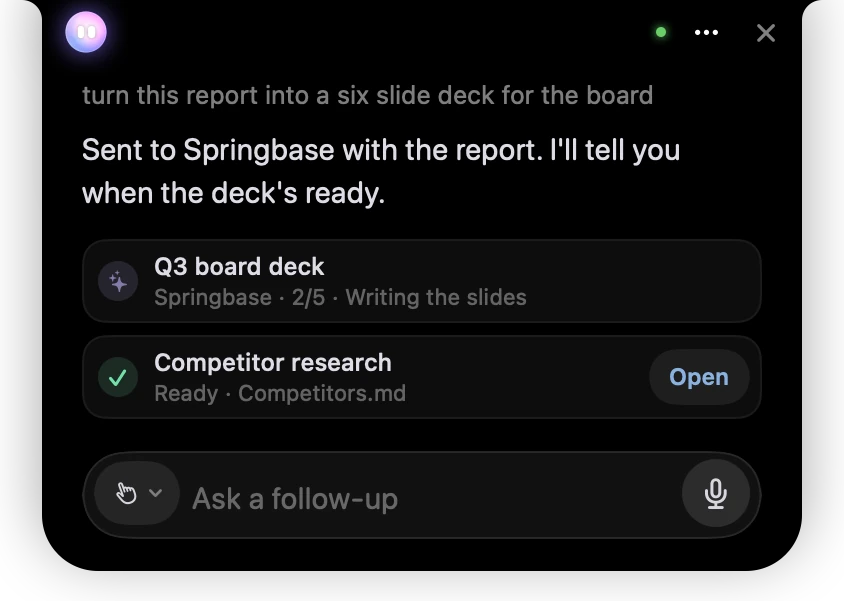
- 1What you asked for.
- 2Springle confirms it’s gone to Springbase, with the report you were looking at.
- 3A task in progress: its name, the step it’s on and how far along it is.
- 4A finished task. Open shows it in Springbase.
Each Springbase task gets a row in the card, up to three at a time. Point at a row for Open in Springbase, or to stop it. You can also ask "is it done?", "make it shorter" or "cancel that".
When Springbase needs you
If Springbase is about to send something on your behalf, it asks first. The question comes to the island in amber, with Yes and No.
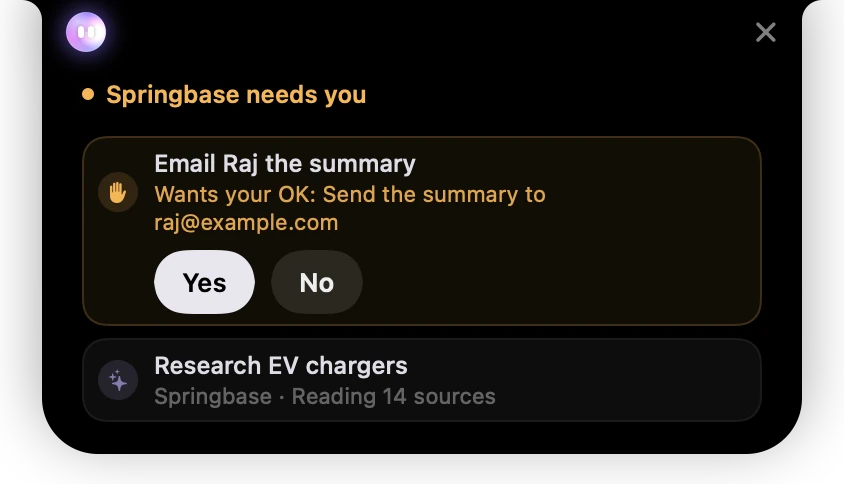
- 1Springbase needs you, in amber.
- 2What it wants to do, and who it goes to.
- 3Yes lets it go ahead. No stops it.
When Springbase has a question with choices, such as which style of deck you’d like, you can answer on the island. It shows one question at a time ("1 of 2"), with its suggested choice marked. Let it decide hands the choices to Springbase, and Full form opens the question in Springbase. A question that needs typing, dates or files opens in Springbase.
When it’s done

- 1One line under the island, with the task’s name. Point at Springle to see the row and open it.
If no conversation is on, a finished task shows as one line under the island with a soft sound. A question waits there until you answer it. The finished row in the card shows what was made and how many credits it used.
Credits
Everything sent to Springbase uses your Springbase credits. Settings › Connected apps shows how many you have left. If you run out, Springle tells you that nothing was started, and you can top up on springbase.ai.
Unlink Springbase
In Settings › Connected apps, click Disconnect on the Springbase card, then Disconnect again (or Keep to change your mind). Springbase forgets this Mac, and Springle forgets its list of Springbase tasks. You can also remove the Mac in Springbase, under Connected devices.
The link belongs to this Mac and to the Springle account that made it. Signing out of Springle stops anything going to Springbase, and another account on the same Mac never sees your link. On another Mac, link Springbase there too.
Did this help?